Fix Common Errors and Crashes in Car Parking Multiplayer
Introduction
Car Parking Multiplayer is a smooth and enjoyable driving simulation game, but like any mobile game, it can sometimes run into errors, crashes, or performance issues. These problems are usually related to device compatibility, storage, internet connection, or outdated game files.
If your game is crashing, lagging, or not opening properly, this guide will help you fix the most common issues step by step.
1. Game Not Opening or Crashing on Startup
Possible Causes
- Corrupted game files
- Low device storage
- Outdated game version
- Incompatible Android version
How to Fix It
- Restart your phone and try again
- Clear cache from app settings
- Make sure you have enough free storage space
- Update the game to the latest version
- Reinstall the game if the issue continues
Reinstalling often fixes startup crashes caused by broken files.
2. Game Lag or Low Performance
Possible Causes
- High graphics settings
- Background apps running
- Low RAM availability
- Older device hardware
How to Fix It
- Lower graphics settings in the game
- Close all background apps before playing
- Restart your device to free memory
- Avoid playing while charging if the device overheats
Reducing graphics quality can significantly improve smoothness.
3. Internet Connection Problems in Online Mode
Possible Causes
- Weak Wi-Fi or mobile data
- Server issues
- VPN or unstable network
How to Fix It
- Switch between Wi-Fi and mobile data
- Restart your router or internet connection
- Turn off VPN if it is enabled
- Join another server if one is not responding
A stable connection is very important for multiplayer mode.
4. Black Screen or Freezing Issue
Possible Causes
- Device overload
- Corrupted cache data
- Insufficient memory
How to Fix It
- Force stop the game and reopen it
- Clear cache from settings
- Restart your device
- Reduce graphics settings before launching again
This issue often happens on low-end devices.
5. Sound Not Working
Possible Causes
- Muted game settings
- Device volume issues
- Audio bug after update
How to Fix It
- Check in-game sound settings
- Increase media volume on your device
- Restart the game
- Reinstall if audio still does not work
6. Stuck on Loading Screen
Possible Causes
- Poor internet connection
- Server overload
- Corrupted game data
How to Fix It
- Check your internet connection
- Restart the game and device
- Clear cache and data
- Try again after some time if servers are busy
7. Vehicle or Map Glitches
Possible Causes
- Graphics bugs
- Outdated version
- Device performance limits
How to Fix It
- Update the game to the latest version
- Reduce graphics quality
- Restart the game session
- Avoid overcrowded multiplayer areas
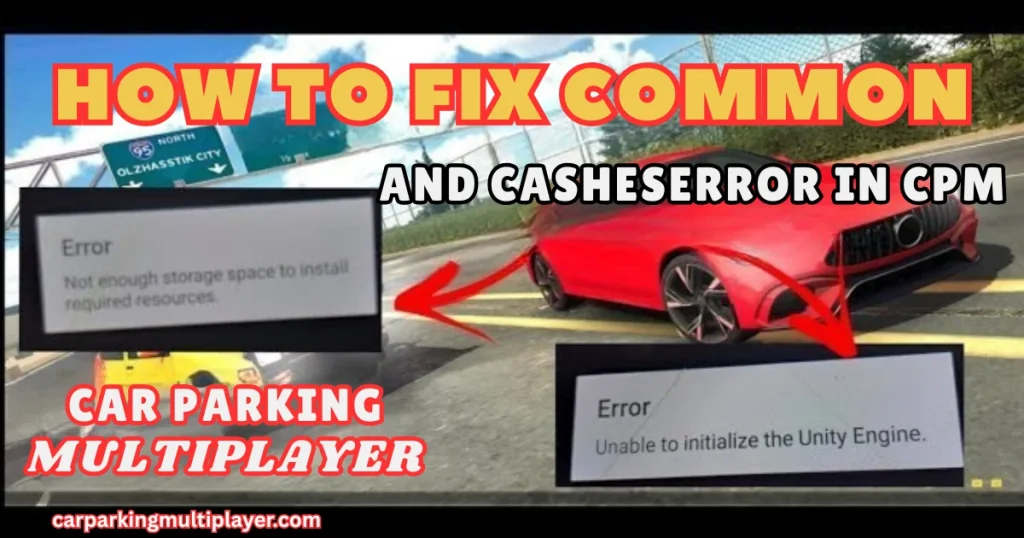
8. Storage and Installation Errors
Possible Causes
- Not enough storage space
- Incomplete installation file
- Unknown sources disabled
How to Fix It
- Free up device storage
- Re-download the game file
- Enable installation from unknown sources (if using APK)
- Ensure the file is fully downloaded
Tips to Prevent Future Errors
To keep the game running smoothly:
- Keep the game updated regularly
- Restart your phone before long gaming sessions
- Avoid running too many apps at once
- Clear cache occasionally
- Maintain enough free storage space
Conclusion
Most errors and crashes in Car Parking Multiplayer are easy to fix with simple troubleshooting steps like clearing cache, updating the game, freeing storage, or adjusting graphics settings. By keeping your device optimized and the game updated, you can enjoy a smoother and more stable driving experience.
With the right setup, Car Parking Multiplayer runs efficiently and provides a fun and immersive gameplay experience without interruptions.